Best LLM AI for Business Including Marketing in 2026: 5 Compared
The best LLM AI for business including marketing compared: ChatGPT, Claude, Gemini in Workspace, Microsoft 365 Copilot and Perplexity Enterprise on models, sources, admin controls and price. Vendor pages reviewed Nov 14, 2026.
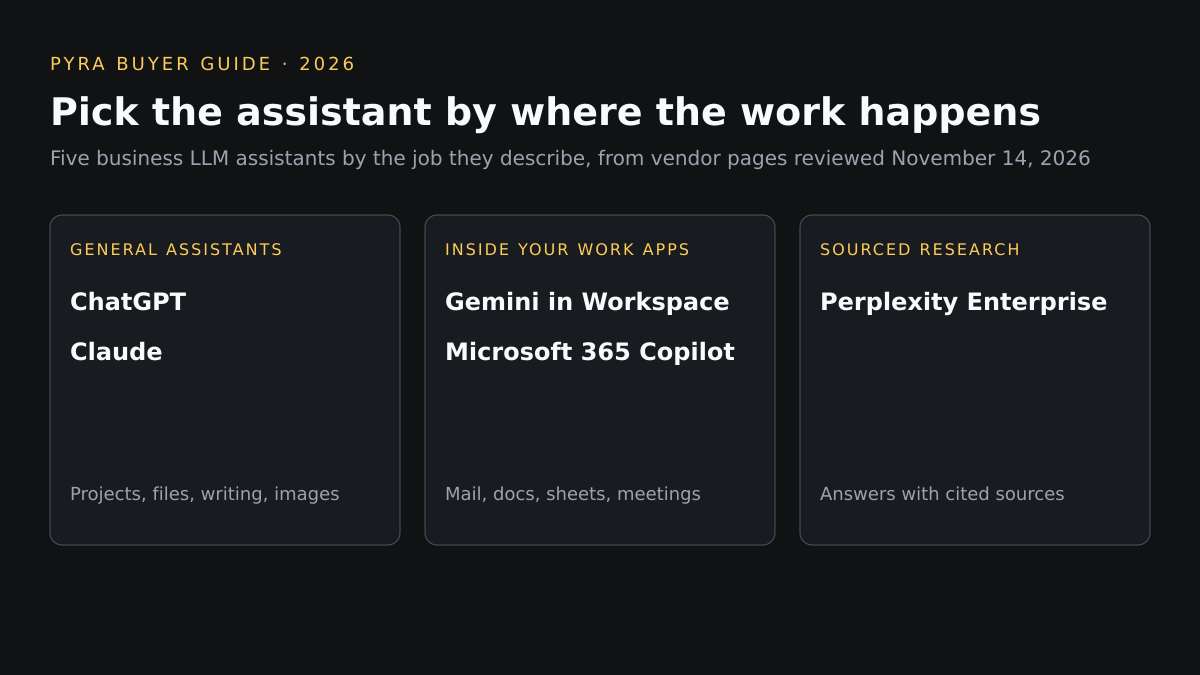
Short answer: the best LLM AI for business including marketing is the one that fits where your team works and what your data terms allow. Of five reviewed on November 14, 2026, ChatGPT and Claude are general assistants, Gemini in Workspace and Microsoft 365 Copilot sit inside work apps, and Perplexity Enterprise centers on sourced research. Run your own brief through two before buying seats.
Business AI is useful when the workflow is clear. This guide is for marketing and operations leads choosing an assistant for a team, and for the IT or finance owner who signs the plan. Pyra makes Prime AI Visibility and Lead Seeker, and the author, Bob Generale, is Pyra's COO and co-founder and President of Percepture; neither is an assistant in this comparison. Prices and features are what each vendor displayed on November 14, 2026, and "not described" means those pages did not say. Mistral's pricing page was also read, but it centers on its Vibe coding agent, so it is not ranked here.
What to decide before comparing models
Model names change within months, so the durable decisions are about the workspace around the model.
- Where the work happens: a standalone assistant, or one inside the mail, documents and spreadsheets the team already uses.
- What data it may see: whether the plan states that your content is not used for training, and who administers access.
- How work repeats: projects, custom assistants and scheduled tasks matter more for a marketing team than one good answer.
- How answers are checked: whether sources are shown, because a marketing claim needs a source.
- Who acts: the assistant drafts and answers; a person approves what is published or sent.
For assistants that take actions across marketing tools, see our guide to AI agents for marketing teams, which covers guardrails and human ownership.
How we compared these LLM assistants
The same seven criteria were applied to every assistant, using only its public pricing and plan pages, so the comparison rests on what each vendor documents rather than on hands-on testing. No prompts were run, no outputs were scored and no model was benchmarked, so this guide does not rank writing quality. Where a page does not describe a feature, the tables say "not described", which is not a judgement that the feature is missing. Plans, models and prices change often, and the set is five assistants that publish business plans; it is not exhaustive. How brands appear inside AI answers is a separate question, covered in the buyer bridge below.
| Criterion | The question it answers |
|---|---|
| Engine coverage | Which models does the plan give you, and in which apps? |
| Exact cited-source visibility | Does the vendor describe showing the sources behind an answer? |
| History and trend depth | Are chat history and memory kept between sessions? |
| Question and prompt tracking | Can you save recurring work as projects, custom assistants or scheduled tasks? |
| Reporting, export, API | Which admin controls, usage limits, exports or API access does the plan list? |
| Pricing transparency | Is the price published, and what does it meter? |
| Diagnosis to action | Can it act in your documents, mail, spreadsheets or apps, and not only answer? |
Best LLM AI for business including marketing, compared
Two tables, the same five assistants in profile order. The first covers type, models, sources and price; the second covers memory, saved work, admin and what the assistant can act on. Scroll sideways on small screens.
| # | Assistant | Type | Models | Sources | Pricing shown |
|---|---|---|---|---|---|
| 1 | ChatGPT | General assistant (OpenAI) | GPT-6 Luna on Free and Go; Plus adds GPT-6.1 Sol, GPT-6 Astra and GPT-6 Sol; Pro lists Pro reasoning powered by GPT-6 Astra | Deep research is listed (limited on Free, expanded on Plus, maximum on Pro); how sources are shown is not described on the pricing page | Free $0, Go $8, Plus $20 and Pro from $100 a month; Business and Enterprise prices are not shown on the page text reviewed |
| 2 | Claude | General assistant (Anthropic) | Sonnet and Haiku on Free; Opus on Pro and above; the Fable model is paid with usage credits on Pro and part of the weekly limit on Max; context windows up to 1M vary by model | Web search and Research are listed (Research from Pro); how sources are shown is not described on the pricing page | Free $0; Pro $17 a month billed annually ($20 monthly); Max $100; Ultra $200; Team standard seat $20 billed annually ($25 monthly) and premium seat $100 ($125); Enterprise self-serve US$20 a seat a month billed annually with a 20-seat minimum plus usage at API rates |
| 3 | Gemini in Google Workspace | Assistant built into Workspace apps (Google) | Not named on the pricing page; it lists the Gemini assistant and Gemini Notebook by plan | Not described on the pricing page | Business Starter $7, Standard $14 and Plus $22 a user a month, with an introductory 50% offer for new customers shown; plans billed monthly |
| 4 | Microsoft 365 Copilot | Assistant built into Microsoft 365 (Microsoft) | Large language model (LLM) choice is listed; model names are not on the pricing page | Chat is described as grounded in your work data; how sources are shown is not described on the pricing page | Copilot Business add-on from $18 a user a month paid yearly (listed as originally $21); Business Standard with Copilot $23.50 and Business Premium with Copilot $32.00 a user a month paid yearly ($38.40 monthly) |
| 5 | Perplexity Enterprise | Answer engine for teams (Perplexity) | Described as the latest AI models post-trained for higher accuracy; Enterprise Max lists comparing responses across multiple AI models; model names are not on the page | Search across the web, files and apps; premium source citations from PitchBook, Statista and more are listed on Enterprise Pro | Enterprise Pro $34 and Enterprise Max $271 a seat a month billed annually; custom pricing for added security and governance |
| Assistant | History and memory | Saved work | Admin, export, API | Acts in |
|---|---|---|---|---|
| ChatGPT | Unlimited chat history on every individual plan; memory is limited on Free, longer on Go and expanded on Plus and Pro | Projects, scheduled tasks and custom GPTs on Plus and above | Business plans start at 2 users and Enterprise is by contacting sales; individual plans list an opt-out from training use; Pro lists up to $500 a month in API credits (Pro 100, 200 or 500) | Codex, ChatGPT Work, scheduled tasks and image creation are listed; connected marketing tools are not described on the pricing page |
| Claude | Memory across conversations is listed on every individual plan | Projects (up to 5 on Free, more on paid plans), Skills, scheduled hand-off tasks on Pro and above | Team adds central billing and administration, SSO, admin controls for connectors, enterprise search, no model training on your content by default and up to $500 a month in pooled API credits; Enterprise adds spend limits | Claude Docs, Slides, Design, Data, Sheets (beta), Claude for Microsoft 365 and Outlook, Claude in Chrome and connectors are listed |
| Gemini in Google Workspace | Not described | Gemini Notebook is listed as an AI research and thinking partner, with expanded access on Standard | Starter, Standard and Plus can be bought for up to 300 users and Enterprise has no limit; the page states company data in Gemini is not used to train models; eDiscovery is listed on Plus | Gemini in Gmail and Vids on Starter; Docs, Sheets, Slides, Drive, Meet and Chat on Standard and above, including mail merge and custom layouts |
| Microsoft 365 Copilot | Not described | Pre-built agents for research and data analysis; Copilot Notebooks are announced for Copilot Chat users | Enterprise Data Protection, management, compliance and controls, plus analytics to measure adoption, usage and business impact; advanced AI features are billed by usage | Access to Cowork, Autopilot and advanced AI experiences in apps like SharePoint, plus Microsoft 365 apps |
| Perplexity Enterprise | Not described | Not described | Guaranteed no training on your data, SSO and user permissions; Enterprise Max lists SCIM, audit logs and data retention settings; a custom tier lists role-based access and custom retention; SOC 2 Type II, HIPAA, GDPR and PCI DSS are listed | Computer credits (500 a month per seat on Pro, 15,000 on Max) for expanded computer access; marketing connectors are not described |
Profiles
1. General assistant (OpenAI)
ChatGPT
Best fit: Marketing and operations teams that want one assistant for writing, images, research and recurring tasks.
Evidence: models: GPT-6 Luna on Free and Go; Plus adds GPT-6.1 Sol, GPT-6 Astra and GPT-6 Sol; Pro lists Pro reasoning powered by GPT-6 Astra. Sources: Deep research is listed (limited on Free, expanded on Plus, maximum on Pro); how sources are shown is not described on the pricing page. History and memory: Unlimited chat history on every individual plan; memory is limited on Free, longer on Go and expanded on Plus and Pro. Saved work: Projects, scheduled tasks and custom GPTs on Plus and above. Admin, export, API: Business plans start at 2 users and Enterprise is by contacting sales; individual plans list an opt-out from training use; Pro lists up to $500 a month in API credits (Pro 100, 200 or 500). Acts in: Codex, ChatGPT Work, scheduled tasks and image creation are listed; connected marketing tools are not described on the pricing page.
Pricing: Free $0, Go $8, Plus $20 and Pro from $100 a month; Business and Enterprise prices are not shown on the page text reviewed.
Strength: The widest set of working modes on one pricing page: chat, images, deep research, saved projects, custom assistants and scheduled tasks.
Limitation: Business and Enterprise plan details and prices were not on the page reviewed, and the page says the Go plan may include ads.
What to verify: Business-plan price, data terms and admin controls with OpenAI, and which model each plan actually serves for marketing work.
Source: ChatGPT pricing (reviewed November 14, 2026).
2. General assistant (Anthropic)
Claude
Best fit: Teams that write long documents, analyze files and want a shared workspace with admin controls.
Evidence: models: Sonnet and Haiku on Free; Opus on Pro and above; the Fable model is paid with usage credits on Pro and part of the weekly limit on Max; context windows up to 1M vary by model. Sources: Web search and Research are listed (Research from Pro); how sources are shown is not described on the pricing page. History and memory: Memory across conversations is listed on every individual plan. Saved work: Projects (up to 5 on Free, more on paid plans), Skills, scheduled hand-off tasks on Pro and above. Admin, export, API: Team adds central billing and administration, SSO, admin controls for connectors, enterprise search, no model training on your content by default and up to $500 a month in pooled API credits; Enterprise adds spend limits. Acts in: Claude Docs, Slides, Design, Data, Sheets (beta), Claude for Microsoft 365 and Outlook, Claude in Chrome and connectors are listed.
Pricing: Free $0; Pro $17 a month billed annually ($20 monthly); Max $100; Ultra $200; Team standard seat $20 billed annually ($25 monthly) and premium seat $100 ($125); Enterprise self-serve US$20 a seat a month billed annually with a 20-seat minimum plus usage at API rates.
Strength: Lists the clearest business controls on its pricing page, with seat prices, SSO, training terms and connector controls shown.
Limitation: Usage limits depend on model and chat length, and several admin features apply only to Team and Enterprise, not to individual plans.
What to verify: Which seat type your heaviest users need, how limits behave on your longest documents, and what usage costs on Enterprise.
Source: Claude pricing (reviewed November 14, 2026).
3. Assistant built into Workspace apps (Google)
Gemini in Google Workspace
Best fit: Companies whose marketing already runs in Gmail, Docs, Sheets, Slides, Drive and Meet.
Evidence: models: Not named on the pricing page; it lists the Gemini assistant and Gemini Notebook by plan. Sources: Not described on the pricing page. History and memory: Not described. Saved work: Gemini Notebook is listed as an AI research and thinking partner, with expanded access on Standard. Admin, export, API: Starter, Standard and Plus can be bought for up to 300 users and Enterprise has no limit; the page states company data in Gemini is not used to train models; eDiscovery is listed on Plus. Acts in: Gemini in Gmail and Vids on Starter; Docs, Sheets, Slides, Drive, Meet and Chat on Standard and above, including mail merge and custom layouts.
Pricing: Business Starter $7, Standard $14 and Plus $22 a user a month, with an introductory 50% offer for new customers shown; plans billed monthly.
Strength: Puts the assistant inside the documents, spreadsheets, mail and meetings a marketing team already uses, with per-user prices shown.
Limitation: The pricing page does not name models, show sources or describe memory, and features differ by Workspace tier.
What to verify: Which Gemini features your tier includes, and which models and limits apply to marketing tasks.
Source: Google Workspace pricing (reviewed November 14, 2026).
4. Assistant built into Microsoft 365 (Microsoft)
Microsoft 365 Copilot
Best fit: Companies on Microsoft 365 that want chat grounded in their own work data, with admin and compliance controls.
Evidence: models: Large language model (LLM) choice is listed; model names are not on the pricing page. Sources: Chat is described as grounded in your work data; how sources are shown is not described on the pricing page. History and memory: Not described. Saved work: Pre-built agents for research and data analysis; Copilot Notebooks are announced for Copilot Chat users. Admin, export, API: Enterprise Data Protection, management, compliance and controls, plus analytics to measure adoption, usage and business impact; advanced AI features are billed by usage. Acts in: Access to Cowork, Autopilot and advanced AI experiences in apps like SharePoint, plus Microsoft 365 apps.
Pricing: Copilot Business add-on from $18 a user a month paid yearly (listed as originally $21); Business Standard with Copilot $23.50 and Business Premium with Copilot $32.00 a user a month paid yearly ($38.40 monthly).
Strength: States adoption analytics and data protection next to the price, and bundles the assistant with business plans.
Limitation: It needs a qualifying Microsoft 365 plan, may not be available in all markets and languages, and some advanced AI features are billed by usage.
What to verify: Which plan qualifies, how usage-based billing meters the agent features you would use, and how models are chosen.
Source: Microsoft 365 Copilot business pricing (reviewed November 14, 2026).
5. Answer engine for teams (Perplexity)
Perplexity Enterprise
Best fit: Research and competitive analysis where the sources behind each answer matter.
Evidence: models: Described as the latest AI models post-trained for higher accuracy; Enterprise Max lists comparing responses across multiple AI models; model names are not on the page. Sources: Search across the web, files and apps; premium source citations from PitchBook, Statista and more are listed on Enterprise Pro. History and memory: Not described. Saved work: Not described. Admin, export, API: Guaranteed no training on your data, SSO and user permissions; Enterprise Max lists SCIM, audit logs and data retention settings; a custom tier lists role-based access and custom retention; SOC 2 Type II, HIPAA, GDPR and PCI DSS are listed. Acts in: Computer credits (500 a month per seat on Pro, 15,000 on Max) for expanded computer access; marketing connectors are not described.
Pricing: Enterprise Pro $34 and Enterprise Max $271 a seat a month billed annually; custom pricing for added security and governance.
Strength: Lists source citations, search across files and apps and compliance claims directly on the Enterprise page.
Limitation: It is an answer and research tool first; its page does not describe drafting inside your documents or saved marketing workflows.
What to verify: How citations appear in a real answer, which models run under the hood, and how credits are consumed.
Source: Perplexity Enterprise pricing (reviewed November 14, 2026).
How to choose an LLM for business and marketing
Start from the workflow. A team that lives in Google or Microsoft apps can test the assistant built into them first; a team that writes long documents and analyzes files can test ChatGPT or Claude; a team that needs sourced market research can test Perplexity. Give each shortlisted assistant the same brief, your style guide and the same source facts, ask the owner of the brand voice to compare the drafts, and read the data terms for the exact plan, not the product name. For Perplexity-specific rank tracking rather than the assistant itself, see our Perplexity rank trackers guide.
Choosing an assistant does not tell you what assistants say about your company. Buyers also ask these same engines for recommendations, and an answer is generated each time, so a single chat is a sample. Prime's AI visibility strategy guide describes an eight-step loop: define the business objective, map buyer questions, take a fixed dated baseline for each engine, compare mentions, recommendations and owned citations separately, diagnose source, entity, content, proof and technical gaps, fix them and remeasure the same questions. Prime AI Visibility, which Pyra makes, saves those answers and their cited websites for the engines it covers; it does not monitor Google organic rankings, and it is not a writing assistant. For the wider tracking and SEO tooling around ChatGPT, see the ChatGPT SEO analysis tools guide.
From AI answers to the accounts worth contacting
Prime shows what answer engines name, cite and recommend; which accounts and verified contacts deserve outreach is a different question. B2B sales intelligence such as Lead Seeker handles B2B prospecting, verified contacts and buyer dossiers, and does not track AI answers.
When intent signals must become qualified account selection, campaign execution or sales activation, Percepture's B2B intent data services connect signal interpretation, ICP targeting and campaign activation. These are separate products and services, and none of them replaces the assistant you choose.
Best LLM AI for business including marketing: questions buyers ask
What is the best LLM AI for business including marketing?
There is no single best one, and this guide did not run prompts to rank them. ChatGPT and Claude are general assistants with projects and shared workspaces, Gemini in Workspace and Microsoft 365 Copilot sit inside the apps your team already uses, and Perplexity Enterprise is built around sourced research. Pick the one that matches where your marketing work lives and what your data terms require, then run your own brief through two of them.
Which LLM is best for marketing copy?
The vendor pages reviewed do not show a copy-quality comparison, so this guide does not name a winner. Give each shortlisted assistant the same brief, your style guide and the same source facts, and have the person who owns the brand voice compare the drafts. Check claims in every draft before publishing, whichever assistant wrote it.
Is it safe to put customer data into these assistants?
It depends on the plan, so read the data terms for the plan you would buy. On the pages reviewed November 14, 2026, Claude Team lists no model training on your content by default, Perplexity Enterprise lists guaranteed no training on your data, Google's Workspace page says company data in Gemini is not used to train models, Microsoft lists Enterprise Data Protection for Copilot, and ChatGPT's individual plans list an opt-out from training use. ChatGPT Business and Enterprise terms were not on the page reviewed, so confirm them with OpenAI.
How much do business LLM plans cost?
Published entry prices on the pages reviewed ran from $7 a user a month for Google Workspace Starter and $18 for the Microsoft 365 Copilot Business add-on, to $20 for a Claude Team standard seat and $34 for Perplexity Enterprise Pro, billed annually where stated. ChatGPT Business and Enterprise prices were not shown. Compare usage limits, seat minimums and what is metered, not only the headline price.
Do these assistants recommend my business to buyers?
They answer buyer questions and may name or cite brands, but none of these plans is described as showing you how your own brand appears in other people's answers. An answer is generated each time it is asked, so a mention in one chat is a sample. To see whether engines name, cite or recommend you for a fixed set of buyer questions, save the answers and repeat them over time.
Sources
Vendor pricing and product pages are linked from each profile and were reviewed November 14, 2026. Vendor-stated features are attributed to the vendor, and prices change often. Written by Bob Generale; reviewed by Alex Mannine.
Match the assistant to your workflow
Talk with Pyra about the workflows to automate, the buyer questions to check in AI answers and the content work that follows.