Best Inbox Warming Tools for Cold Email 2026: Instantly vs Smartlead vs MailReach
The best inbox warming tools for cold email in 2026: Instantly, Smartlead, MailReach, lemlist and Warmup Inbox compared on eight criteria, from reporting to price. Reviewed Nov 7, 2026.
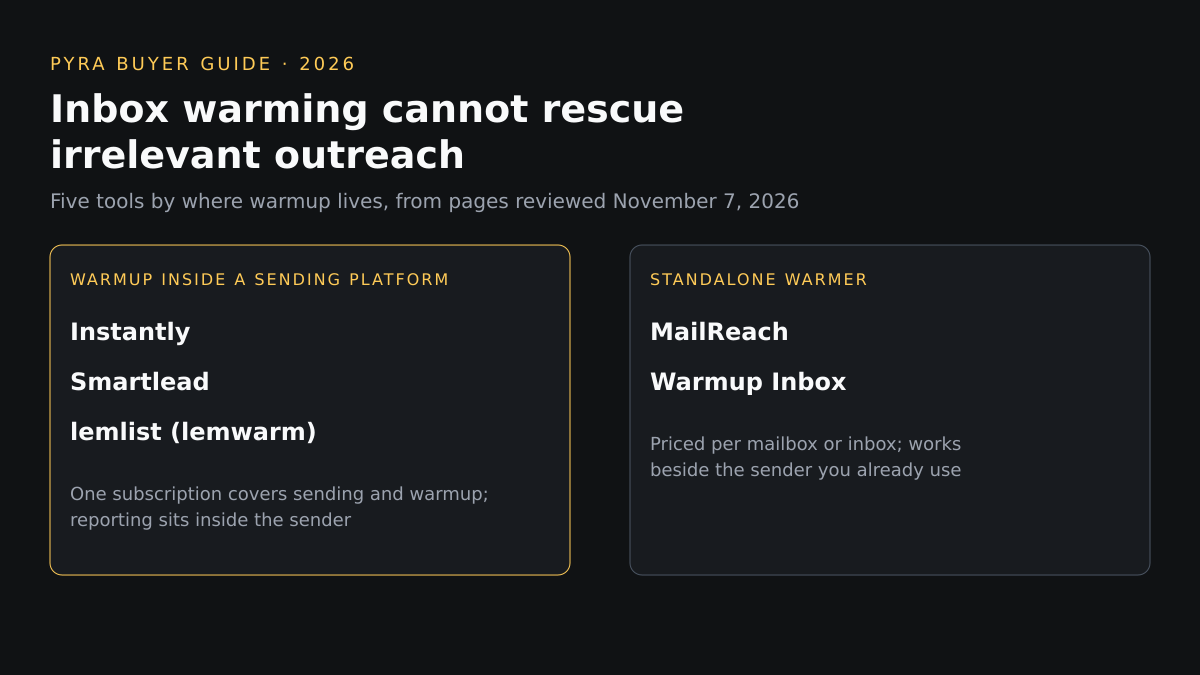
Short answer: the best inbox warming tools for cold email depend on where you send from. Of five reviewed on November 7, 2026, Instantly, Smartlead and lemlist include warmup in their sending platforms, MailReach and Warmup Inbox are standalone warmers, and only MailReach lists separate spam tests. Inbox warming cannot rescue irrelevant outreach; it builds sending history.
This guide is for founders, sales operations leads and agencies choosing how to warm mailboxes before cold campaigns. The order is editorial, grouped by where warmup lives, not a ranking. People still search for "best inbox warming tools cold email instantly smartlead mailreach 2025"; this is the 2026 refresh of that comparison. Pyra builds AI agents, and the author, Bob Generale, is Pyra's COO and co-founder and President of Percepture, a digital PR and search agency. None of the five tools below is a Pyra or Percepture product. Findings are what each vendor's own pages showed on November 7, 2026, and "not described" means those pages did not say.
What inbox warming does, and what it does not
Inbox warming tools send and answer emails between your new mailbox and a network of other inboxes, usually raising volume gradually, so mailbox providers see a sending history before a campaign starts. It does not fix missing authentication, a bad list or a message people mark as spam. Google's email sender guidelines require SPF or DKIM for all senders to personal Gmail accounts, with Postmaster Tools spam rates below 0.3%. Senders above 5,000 messages a day to those accounts must use both SPF and DKIM plus DMARC; their marketing and subscribed messages must support one-click unsubscribe and a clearly visible unsubscribe link in the message body. Those guidelines do not mention warmup.
How we compared these tools
Eight criteria were applied to every tool using only public vendor pages and pricing pages. No hands-on tests, placement results or customer counts are used, and a vendor's claims about itself are attributed to it. The set covers tools that recur in current comparisons for this query and publish enough to compare; it is not exhaustive, and Mailwarm, InboxAlly, Warmy, Warmbox and Folderly were not reviewed. Contact verification, intent signals and account filtering are not criteria here, because inbox warming tools do not do that work; they come up before warmup, covered below.
| Criterion | The question it answers |
|---|---|
| How warmup works | What does the vendor say the warmup actually does, and with what network? |
| Placement and health reporting | Can you see inbox, spam or placement results? |
| Warmup controls | Can you set ramp speed, volume or engagement? |
| Authentication checks | Does it check SPF, DKIM, DMARC or blacklists? |
| Sending-platform fit | Is it bundled with a sender or usable beside any sender? |
| Pricing | What does the vendor's page show, and per what unit? |
| Small vs larger teams | How does cost and capacity change as mailboxes grow? |
| Evidence quality | Which claims are the vendor's own and which are checkable? |
Best inbox warming tools for cold email compared
Two tables, the same five tools in profile order. The first covers how warmup works, reporting, controls and authentication checks; the second covers sender fit, pricing and scale. Scroll sideways on small screens.
Five inbox warming tools compared on how warmup works, placement and health reporting, controls and authentication checks.
| # | Tool | How warmup works | Placement and health reporting | Warmup controls | Authentication checks |
|---|---|---|---|---|---|
| 1 | Instantly | Sends, receives, opens and replies to emails between your connected accounts and its warmup network, which Instantly says holds more than 1,000,000 real email accounts and runs through a private network of headless browsers | A deliverability dashboard shows a deliverability score and how many emails land in inbox or spam; no separate placement test is described | A slow ramp starting at 2 emails on day 1, 4 on day 2 and 6 on day 3; read emulation; you choose the open rate, response rate and spam protection for warmup emails | Not described on the warmup page reviewed |
| 2 | Smartlead | Describes unlimited warmups that gradually ramp sending volume with positive email interactions, humanized sending patterns, spintax and smart replies; it does not state a pool size on the pages reviewed | Not described on the pages reviewed | A gradual ramp is described; adjustable settings and limits are not detailed on the pages reviewed | Not described on the pages reviewed |
| 3 | MailReach | Exchanges positive interactions between your mailbox and a network of high-reputation accounts through what it calls an AI warming algorithm, across Google, Outlook and other providers | A separate spam tester lists inbox placement by provider, automatic spam tests with Slack and webhook alerts, seed list rotation and a test history | Up to 100 emails a day per mailbox on the warmer plan; other warming settings are not detailed on the pricing page | Domain and inbox health checks cover blacklist, SPF, DKIM, DMARC and a reverse DNS checker sits in the spam tester |
| 4 | lemlist (lemwarm) | lemwarm exchanges real emails with real inboxes to build sender reputation, and lemlist matches your sender to your prospect's email provider | Watches deliverability health across warmup, outreach and inbox placement with alerts, plus a tech audit showing what is wrong per mailbox | You set the pace; daily sending is capped per inbox with automatic pauses, and sending windows are set by timezone | Authentication is set up automatically when you connect or buy a domain in lemlist, and the tech audit flags setup problems |
| 5 | Warmup Inbox | Says a network of more than 30,000 real inboxes across 25 or more providers opens, replies to and marks warmup emails as not spam; both figures are the vendor's own | Spam and category monitoring, an email reputation check, and blacklist monitoring that the page says covers more than 100 blacklists daily | Plans cap warmup messages a day at 75, 250 or 1,000; the Pro plan adds custom templates, topics, language warmup, specific ESP warmup and scheduled warmup | DNS, SPF, DKIM and blacklist checks are described as built in, and the Max plan lists a technical setup check |
Five inbox warming tools compared on sending-platform fit, pricing and how capacity changes for small and larger teams.
| Tool | Sending-platform fit | Pricing shown | Small vs larger teams |
|---|---|---|---|
| Instantly | Warmup is switched on per connected account with one click and stays on alongside campaigns | Growth is $47 a month with unlimited email accounts and unlimited email warmup, 1,000 uploaded contacts and 5,000 emails a month; Hypergrowth is $107 and Light Speed is $358 | Higher plans raise sending to 125,000 and 500,000 emails a month; Light Speed adds a server and IP rotation system, and Enterprise adds a private deliverability network |
| Smartlead | Every plan includes unlimited email accounts, so mailbox count does not change the plan; a separate managed service sells pre-warmed mailboxes | Base $39 a month for 2,000 contacts and 6,000 emails; Pro $94 for 30,000 contacts and 90,000 emails; Unlimited Smart $174 and Unlimited Prime $379; annual billing is listed as 17% lower | Plans scale by monthly sends, up to 500,000 emails on Prime, with private infrastructure and SmartServers on higher tiers |
| MailReach | Works beside any sender, since the product is the warmer and tester rather than a sending platform | All-In-One warmer plus spam tester starts at $25 per mailbox a month and $20 with annual billing, including at least 20 spam test credits; pay as you go and custom plans are listed | Price is per mailbox, so cost rises with each mailbox; agency pricing is available by request |
| lemlist (lemwarm) | Included in every plan, with a separate path to buy a sending domain and inbox inside lemlist | The Email plan shows $55 a month with yearly billing selected, against a struck-through $69, with unlimited users and senders and up to 50,000 emails a month; Multichannel is $87 | Email plan covers unlimited users and senders; Multichannel adds LinkedIn, SMS and calling; Enterprise is custom |
| Warmup Inbox | Connects to Gmail, Outlook or any SMTP inbox; a free plan allows unlimited inboxes at 15 warmup emails a week | Basic from $15 per inbox a month (shown as $180 billed yearly), Pro $49 and Max $79 per inbox; a 7-day free trial and a free plan are listed | Price is per inbox with discounts to 50 inboxes and a quote beyond that, with multi-client workspaces for agencies |
Profiles
1. Cold email platform with built-in warmup
Instantly
Best fit: Teams that already send from Instantly, or plan to, and want warmup without a second subscription.
How warmup works: Sends, receives, opens and replies to emails between your connected accounts and its warmup network, which Instantly says holds more than 1,000,000 real email accounts and runs through a private network of headless browsers.
Placement and health reporting: A deliverability dashboard shows a deliverability score and how many emails land in inbox or spam; no separate placement test is described. Authentication checks: Not described on the warmup page reviewed.
Warmup controls: A slow ramp starting at 2 emails on day 1, 4 on day 2 and 6 on day 3; read emulation; you choose the open rate, response rate and spam protection for warmup emails.
Sending-platform fit: Warmup is switched on per connected account with one click and stays on alongside campaigns.
Pricing: Growth is $47 a month with unlimited email accounts and unlimited email warmup, 1,000 uploaded contacts and 5,000 emails a month; Hypergrowth is $107 and Light Speed is $358. Scale: Higher plans raise sending to 125,000 and 500,000 emails a month; Light Speed adds a server and IP rotation system, and Enterprise adds a private deliverability network.
Strength: Warmup, sending and reply handling sit in one tool, and the plan price covers unlimited accounts.
Limitation: The warmup is part of a sending platform, so you pay for the platform; the pages reviewed do not describe DNS checks or independent spam tests.
What to verify: How the dashboard's deliverability score is calculated, what the pool size means for the providers you send to, and the billing period behind each price.
Source: Instantly email warmup and pricing pages (reviewed November 7, 2026).
2. Cold email platform with built-in warmup
Smartlead
Best fit: Outreach teams and agencies running many mailboxes who want warmup inside the sending tool.
How warmup works: Describes unlimited warmups that gradually ramp sending volume with positive email interactions, humanized sending patterns, spintax and smart replies; it does not state a pool size on the pages reviewed.
Placement and health reporting: Not described on the pages reviewed. Authentication checks: Not described on the pages reviewed.
Warmup controls: A gradual ramp is described; adjustable settings and limits are not detailed on the pages reviewed.
Sending-platform fit: Every plan includes unlimited email accounts, so mailbox count does not change the plan; a separate managed service sells pre-warmed mailboxes.
Pricing: Base $39 a month for 2,000 contacts and 6,000 emails; Pro $94 for 30,000 contacts and 90,000 emails; Unlimited Smart $174 and Unlimited Prime $379; annual billing is listed as 17% lower. Scale: Plans scale by monthly sends, up to 500,000 emails on Prime, with private infrastructure and SmartServers on higher tiers.
Strength: Published price ladder with unlimited mailboxes and warmup on every plan.
Limitation: The pages reviewed describe warmup in general terms only, with no stated pool size, placement testing or authentication checks.
What to verify: What your plan's warmup pool includes, which settings you can change, and how health is reported inside the product.
Source: Smartlead home and pricing pages (reviewed November 7, 2026).
3. Standalone warmup with spam testing
MailReach
Best fit: Teams that want warmup and testing independent of the tool they send from.
How warmup works: Exchanges positive interactions between your mailbox and a network of high-reputation accounts through what it calls an AI warming algorithm, across Google, Outlook and other providers.
Placement and health reporting: A separate spam tester lists inbox placement by provider, automatic spam tests with Slack and webhook alerts, seed list rotation and a test history. Authentication checks: Domain and inbox health checks cover blacklist, SPF, DKIM, DMARC and a reverse DNS checker sits in the spam tester.
Warmup controls: Up to 100 emails a day per mailbox on the warmer plan; other warming settings are not detailed on the pricing page.
Sending-platform fit: Works beside any sender, since the product is the warmer and tester rather than a sending platform.
Pricing: All-In-One warmer plus spam tester starts at $25 per mailbox a month and $20 with annual billing, including at least 20 spam test credits; pay as you go and custom plans are listed. Scale: Price is per mailbox, so cost rises with each mailbox; agency pricing is available by request.
Strength: Warmup comes with spam tests and DNS checks you can read independently of the sending tool.
Limitation: No sending or campaign features, and per-mailbox pricing adds up across many mailboxes.
What to verify: Which spam test credits your mailbox count needs, how seed lists are chosen, and how the network is vetted.
Source: MailReach home and pricing pages (reviewed November 7, 2026).
4. Multichannel outreach platform with built-in warmup
lemlist (lemwarm)
Best fit: Teams already sending from lemlist, or choosing a multichannel tool where warmup comes with the plan.
How warmup works: lemwarm exchanges real emails with real inboxes to build sender reputation, and lemlist matches your sender to your prospect's email provider.
Placement and health reporting: Watches deliverability health across warmup, outreach and inbox placement with alerts, plus a tech audit showing what is wrong per mailbox. Authentication checks: Authentication is set up automatically when you connect or buy a domain in lemlist, and the tech audit flags setup problems.
Warmup controls: You set the pace; daily sending is capped per inbox with automatic pauses, and sending windows are set by timezone.
Sending-platform fit: Included in every plan, with a separate path to buy a sending domain and inbox inside lemlist.
Pricing: The Email plan shows $55 a month with yearly billing selected, against a struck-through $69, with unlimited users and senders and up to 50,000 emails a month; Multichannel is $87. Scale: Email plan covers unlimited users and senders; Multichannel adds LinkedIn, SMS and calling; Enterprise is custom.
Strength: Warmup, sending limits, authentication setup and health alerts are described together, and warmup is included in all plans.
Limitation: Warmup is not sold alone, and the pages reviewed do not state a network size or independent spam testing.
What to verify: Whether the tech audit and alerts are in your tier, the network lemwarm draws on, and the billing period behind the price.
Source: lemlist lemwarm and pricing pages (reviewed November 7, 2026).
5. Standalone warmup priced per inbox
Warmup Inbox
Best fit: Teams that want a separately priced warmer with a free tier to try it on a few inboxes.
How warmup works: Says a network of more than 30,000 real inboxes across 25 or more providers opens, replies to and marks warmup emails as not spam; both figures are the vendor's own.
Placement and health reporting: Spam and category monitoring, an email reputation check, and blacklist monitoring that the page says covers more than 100 blacklists daily. Authentication checks: DNS, SPF, DKIM and blacklist checks are described as built in, and the Max plan lists a technical setup check.
Warmup controls: Plans cap warmup messages a day at 75, 250 or 1,000; the Pro plan adds custom templates, topics, language warmup, specific ESP warmup and scheduled warmup.
Sending-platform fit: Connects to Gmail, Outlook or any SMTP inbox; a free plan allows unlimited inboxes at 15 warmup emails a week.
Pricing: Basic from $15 per inbox a month (shown as $180 billed yearly), Pro $49 and Max $79 per inbox; a 7-day free trial and a free plan are listed. Scale: Price is per inbox with discounts to 50 inboxes and a quote beyond that, with multi-client workspaces for agencies.
Strength: A free tier and a published per-inbox price ladder, with controls documented per plan.
Limitation: Per-inbox pricing rises quickly on higher tiers, and its +15% Primary placement claim comes from the vendor's own internal benchmark.
What to verify: How the internal benchmark was run, which plan unlocks the controls you need, and how the network is kept to real inboxes.
Source: Warmup Inbox home and pricing pages (reviewed November 7, 2026).
How to choose
Start with the sender. If you already use Instantly, Smartlead or lemlist, compare the warmup that comes with your plan before paying for a second tool. If you want warmup and testing that work beside any sender, compare MailReach and Warmup Inbox. If you need to read inbox placement and authentication results outside your sending tool, MailReach is the one that lists them as a separate product. If you want to try a warmer on a few inboxes first, Warmup Inbox lists a free plan.
Ask each vendor for the same things: what the network is made of, what the dashboard measures and how, which settings you can change, and a written price for your mailbox count. For software that qualifies who to email in the first place, see our guide to GTM prospecting tools.
Before and after warmup: finding, verifying and reaching the right accounts
Warmup answers one question, whether mailbox providers trust the sender. Other steps decide whether the email is worth sending. Account research and buyer-fit checks come first. Pyra's Lead Seeker handles B2B prospecting, verified contacts and buyer dossiers; it does not warm mailboxes, send campaigns or track AI answers. Pyra's sales intelligence product page describes how it fits a follow-up workflow, and our AI sales agents page covers agents that act on that research.
When intent signals must become qualified account selection, campaign execution or sales activation, Percepture's B2B intent data services connect those signals to campaigns. Earlier in the journey, buyers may also meet your company in AI answers. Prime AI Visibility saves what ChatGPT, Claude, Perplexity and, on paid plans, Gemini say to the questions you choose, with the brand names and website links in them. It does not monitor Google rankings. Prime's guide to choosing an AI visibility tool covers six axes: engine coverage, query cadence, prompt-set ownership, metric definitions, data export and pricing. These are separate tools and services, not one product, and none of them replaces warmup or the reverse.
Best inbox warming tools for cold email: questions buyers ask
What are the best inbox warming tools for cold email?
It depends on where you send from. Among the five reviewed on November 7, 2026, Instantly, Smartlead and lemlist include warmup in their sending platforms, MailReach and Warmup Inbox are standalone warmers, and MailReach is the one that lists separate spam tests and DNS checks. The order is editorial, not a ranking.
Are Instantly and Smartlead warmup enough, or do I need MailReach?
The vendor pages show what each documents, not which performs better. Instantly describes a dashboard with inbox and spam counts; the Smartlead pages reviewed describe warmup in general terms only; MailReach lists separate spam tests, inbox placement by provider and SPF, DKIM and DMARC checks. If you want results read outside your sending tool, a standalone tester documents more of that.
How long does inbox warming take?
No fixed time is documented. Instantly says warmup is an ongoing process rather than a countdown, starting at 2 emails on day 1 and rising, with its dashboard showing when accounts are ready, and recommends keeping warmup running alongside live campaigns. Treat any promised number of days as a claim to ask the vendor to support.
Does warmup fix authentication or spam complaints?
No. Google's email sender guidelines require SPF or DKIM for all senders to personal Gmail accounts, with Postmaster Tools spam rates below 0.3%. Senders above 5,000 messages a day to those accounts must use both SPF and DKIM plus DMARC; their marketing and subscribed messages must support one-click unsubscribe and a clearly visible unsubscribe link in the message body. The guidelines do not mention warmup. Warmup builds sending history; it does not replace those requirements or relevant targeting.
Sources
Each tool's source page is linked from its profile and was reviewed November 7, 2026. Prices are those shown on the vendor's page that day, change often, and may reflect a monthly or yearly billing toggle as noted. Google's guidance is from its email sender guidelines page. Written by Bob Generale; reviewed by Alex Mannine.
Plan your outbound stack
Talk with Pyra about who to prospect, where a person must approve outreach, and how to measure what changes.