Best CRM Tools for Startups 2026: 5 Compared by Pricing and Context
The best CRM tools for startups 2026: HubSpot, Attio, Pipedrive, Zoho CRM and Close compared on nine criteria, from data sources to seat pricing. Reviewed Nov 7, 2026.
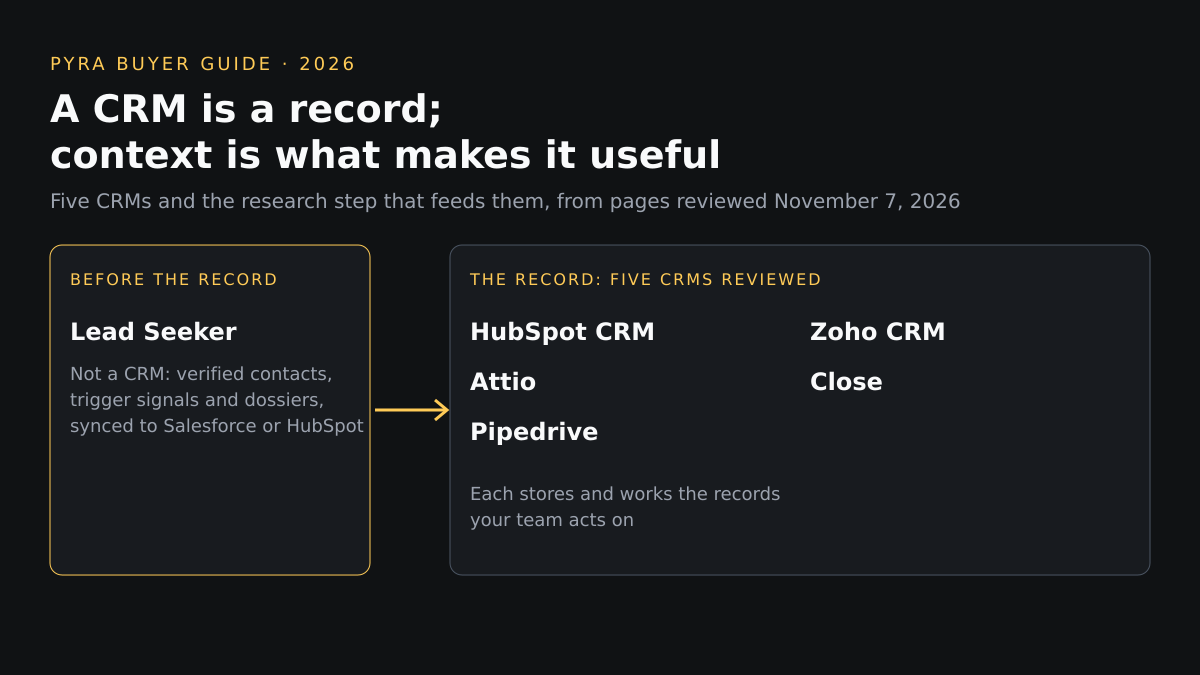
Short answer: the best CRM tools for startups 2026 depend on seat count and how outbound your sales motion is. Of five reviewed on November 7, 2026, HubSpot, Zoho CRM and Attio have free plans, Pipedrive centers on pipeline management and Close on calling and email. None describes verified contacts. A CRM is a record; context is what makes it useful.
This guide is for founders and first sales hires choosing a CRM before the team grows. The order is editorial, grouped by how each tool is built, not a ranking. Pyra builds AI agents, and the author, Bob Generale, is Pyra's COO and co-founder and President of Percepture, a digital PR and search agency. None of the five CRMs below is a Pyra or Percepture product; the sixth entry, Lead Seeker, is Pyra's and is not a CRM. Findings are what each vendor's own pages showed on November 7, 2026, and "not described" means those pages did not say.
What a startup needs from a CRM
Most lists of CRMs for startups rank on features and price. This one adds a question those lists skip: what goes into the record. A CRM stores contacts, deals and activity, so a record is only as useful as the data and context behind it. The five tools below differ in how much they enrich records, how they price seats, and how much they automate, and the pages reviewed say little about where contact data comes from or how it is checked.
How we compared these tools
Nine criteria were applied to every entry using only public vendor pages and pricing pages. No hands-on tests, scores or customer counts are used, and a vendor's claims about itself are attributed to it. The set covers CRMs that recur in current comparisons for this query and publish enough to compare; it is not exhaustive, and Salesforce, Freshsales, Folk and others were not reviewed. Lead Seeker is included as a separate, non-CRM entry so the same criteria can be applied to the research step that feeds a CRM.
| Criterion | The question it answers |
|---|---|
| Data and source transparency | Does the vendor say where record data comes from? |
| Contact verification | Does it describe checking that a contact is current? |
| Intent and buying signals | Does it surface events that suggest an account is ready? |
| ICP filtering | Can you filter or score records against your ideal customer? |
| Dossier and context depth | How much context does a record hold before a rep reaches out? |
| CRM and export workflow | How does data get in, out and into other tools? |
| Automation controls | What can be automated, and from which plan? |
| Pricing | What does the vendor's page show, and per what unit? |
| Small vs larger teams | How do seats, limits and cost change as the team grows? |
Best CRM tools for startups 2026 compared
Two tables, the same six entries in profile order. The first covers data, verification, signals, ICP filtering and context; the second covers workflow, automation, pricing and team size. Scroll sideways on small screens.
Six entries compared on data transparency, contact verification, intent signals, ICP filtering and dossier depth.
| # | Tool | Data and source transparency | Contact verification | Intent and buying signals | ICP filtering | Dossier and context depth |
|---|---|---|---|---|---|---|
| 1 | HubSpot CRM | The pricing page lists a Data Hub and a Data Agent without describing sources or method in the text reviewed | Not described | Sales Hub lists Custom Signals (Beta); what it detects is not described on the page | CRM segments: 10 active on Free and up to 50 on Starter, limited to form submission data, contact properties and marketing email activity | Not described as a per-contact dossier |
| 2 | Attio | Automatic data enrichment is listed on every plan, including company fields such as employee count, ARR and funding raised; the data source is not named | Not described | Communication intelligence shows first and last interaction and connection strength from your own email and calendar; external buying signals are not described | Lists, reports and segmenting are listed; ICP scoring is not described | Pro lists Call Intelligence; the table also lists Ask Attio, AI agents and auto-summaries. Confirm which features your selected plan includes |
| 3 | Pipedrive | Premium lists company data enrichment such as industry, size and revenue, and Ultimate adds phone and email enrichment; sources are not named | Not described | Custom scoring models are listed on Premium; external buying signals are not described | Custom scoring and lead routing to the right reps are listed on Premium; the LeadBooster add-on captures leads | Pipedrive Nova meeting intelligence gives a brief before each meeting, a call transcript and approvable CRM updates |
| 4 | Zoho CRM | Standard lists data enrichment for company size, industry and revenue; sources are not named | Not described | Professional lists predictive intelligence on the likelihood a lead converts or a deal closes; external buying signals are not described | Workflow rules can route leads to the right rep on the free plan; ICP filtering is not described | Not described as a per-contact dossier; Professional lists AI agents that execute tasks |
| 5 | Close | An enrichment feature is listed that adds external intelligence to contact and company records; its tiers and sources are not stated in the text reviewed | Not described | Not described | Not described; lead visibility rules are access controls on Scale | Close's AI assistant, Chloe, answers questions, takes actions, fills outcomes and custom fields, and uses AI credits per user (500 to 2,000 by plan) |
| 6 | Lead Seeker | Dossiers combine retrieved contact data, company context and source-backed research where available, and the product page shows the source and age of each trigger signal | The product page shows a verified contact with the age of the verification | Trigger Signals are public events at target accounts, such as hires, funding, posted roles, stack changes and earnings statements | You describe the buyers you want in plain English, and Lead Compass finds ICP-aware market signals | A Prospect Dossier per person with a DISC personality read and a suggested opening line |
Six entries compared on CRM and export workflow, automation controls, pricing and fit for small and larger teams.
| Tool | CRM and export workflow | Automation controls | Pricing shown | Small vs larger teams |
|---|---|---|---|---|
| HubSpot CRM | Sales Hub Starter lists up to 15 pipelines, 500 calling minutes and 1 phone number; export is not described on the page | Sales Hub Starter lists up to 50 workflows with restricted triggers and actions | Free tools for up to 2 users; Starter from $7 a month per seat for new customers, against a listed $20 | This page shows only Free and Starter; higher tiers were not reviewed |
| Attio | Real-time contact syncing, email and calendar sync, API and webhook access and an MCP server are listed | Workflows, integration blocks and sequences are listed; Pro is described as for scaling revenue with automation | Free for up to 3 seats; Plus $35 per user a month with annual billing ($44 monthly); Pro $79 ($99 monthly); Enterprise is custom | Seats are capped at 3 on Free and 10 on Plus, unlimited from Pro; records are capped at 50,000, 250,000 and 1,000,000 by plan |
| Pipedrive | 500+ integrations including Zapier, Zoom and Lemlist, with import from a spreadsheet or another CRM; export is not described | Automations and email sequences are listed from Growth | Lite $14, Growth $39, Premium $59 and Ultimate $79 per seat a month billed annually, with a 14-day free trial | Priced per seat; Ultimate adds security rules and a sandbox account |
| Zoho CRM | Free allows spreadsheet import, export up to 10 times and 5,000 API calls a day; Standard adds Gmail, Outlook, Slack, Zoom and Teams integrations | Workflow automation is on the free plan; Professional adds process management and AI agents | Free for 3 users; Standard US$14 and Professional US$23 per user a month as shown on the page | Plans step up per user; higher tiers were not reviewed |
| Close | Built-in forms, email, calling and SMS with a centralized inbox on Essentials and above; export is not described | Workflows and Chloe inside workflows start at Growth, with a power dialer; Scale adds a predictive dialer | Solo $9, Essentials $35, Growth $99 and Scale $139 per user a month with annual billing ($19, $49, $109 and $149 monthly); a 30-day money-back guarantee is listed | Solo is limited to 1 user and 10,000 leads; role-based permissions arrive on Scale |
| Lead Seeker | Native Salesforce and HubSpot sync once the workspace owner connects the CRM; other CRMs get spreadsheet export, and PDF and Word exports are listed | Searches are user-run and Lead Units are charged only when a new search returns live person records; it does not manage deals | A 14-day Pilot is $99 one time with 50 Lead Units; Starter $149 a month with 2 seats and 75 Lead Units; Growth $499; Scale $1,299; Enterprise from $4,500 a month | Plans step up by seats and Lead Units, from 2 seats on Starter to 20 or more on Enterprise; extra seats are $39 a month |
Profiles
1. CRM with free and Starter tiers
HubSpot CRM
Best fit: Founders who want a free start and an upgrade path inside one vendor.
Data and source transparency: The pricing page lists a Data Hub and a Data Agent without describing sources or method in the text reviewed. Contact verification: Not described.
Intent and buying signals: Sales Hub lists Custom Signals (Beta); what it detects is not described on the page. ICP filtering: CRM segments: 10 active on Free and up to 50 on Starter, limited to form submission data, contact properties and marketing email activity.
Dossier and context depth: Not described as a per-contact dossier.
CRM and export workflow: Sales Hub Starter lists up to 15 pipelines, 500 calling minutes and 1 phone number; export is not described on the page. Automation controls: Sales Hub Starter lists up to 50 workflows with restricted triggers and actions.
Pricing: Free tools for up to 2 users; Starter from $7 a month per seat for new customers, against a listed $20. Small vs larger teams: This page shows only Free and Starter; higher tiers were not reviewed.
Strength: A free tier and a published entry price from a vendor with a wide product range.
Limitation: The page does not describe data sources, contact verification or intent signals, and Starter's discount is for new customers only.
What to verify: Which Sales Hub features sit in your tier, what the Data Agent and Custom Signals actually do, and the price after the new-customer discount.
Source: HubSpot CRM pricing page (reviewed November 7, 2026).
2. Relationship-based CRM with enrichment
Attio
Best fit: Small teams that want contact enrichment and communication history built in from the start.
Data and source transparency: Automatic data enrichment is listed on every plan, including company fields such as employee count, ARR and funding raised; the data source is not named. Contact verification: Not described.
Intent and buying signals: Communication intelligence shows first and last interaction and connection strength from your own email and calendar; external buying signals are not described. ICP filtering: Lists, reports and segmenting are listed; ICP scoring is not described.
Dossier and context depth: Pro lists Call Intelligence; the table also lists Ask Attio, AI agents and auto-summaries. Confirm which features your selected plan includes.
CRM and export workflow: Real-time contact syncing, email and calendar sync, API and webhook access and an MCP server are listed. Automation controls: Workflows, integration blocks and sequences are listed; Pro is described as for scaling revenue with automation.
Pricing: Free for up to 3 seats; Plus $35 per user a month with annual billing ($44 monthly); Pro $79 ($99 monthly); Enterprise is custom. Small vs larger teams: Seats are capped at 3 on Free and 10 on Plus, unlimited from Pro; records are capped at 50,000, 250,000 and 1,000,000 by plan.
Strength: Enrichment and relationship data are on the entry tiers, and the seat and record limits are published.
Limitation: Enrichment sources and verification are not described, and AI features use credits that vary by plan.
What to verify: Where enrichment data comes from, how credits are consumed, and which plan holds the automation you need.
Source: Attio pricing page (reviewed November 7, 2026).
3. Sales pipeline CRM
Pipedrive
Best fit: Sales-led startups that want a pipeline-first tool priced per seat.
Data and source transparency: Premium lists company data enrichment such as industry, size and revenue, and Ultimate adds phone and email enrichment; sources are not named. Contact verification: Not described.
Intent and buying signals: Custom scoring models are listed on Premium; external buying signals are not described. ICP filtering: Custom scoring and lead routing to the right reps are listed on Premium; the LeadBooster add-on captures leads.
Dossier and context depth: Pipedrive Nova meeting intelligence gives a brief before each meeting, a call transcript and approvable CRM updates.
CRM and export workflow: 500+ integrations including Zapier, Zoom and Lemlist, with import from a spreadsheet or another CRM; export is not described. Automation controls: Automations and email sequences are listed from Growth.
Pricing: Lite $14, Growth $39, Premium $59 and Ultimate $79 per seat a month billed annually, with a 14-day free trial. Small vs larger teams: Priced per seat; Ultimate adds security rules and a sandbox account.
Strength: Clear per-seat ladder with a trial and meeting preparation built in.
Limitation: Enrichment arrives on higher tiers and the pages reviewed do not describe contact verification or buying signals.
What to verify: Which tier holds the enrichment and scoring you need, the add-on prices, and the billing period behind each price.
Source: Pipedrive pricing page (reviewed November 7, 2026).
4. CRM with a free tier and low-cost seats
Zoho CRM
Best fit: Budget-conscious teams that want forecasting, enrichment and automation at low seat prices.
Data and source transparency: Standard lists data enrichment for company size, industry and revenue; sources are not named. Contact verification: Not described.
Intent and buying signals: Professional lists predictive intelligence on the likelihood a lead converts or a deal closes; external buying signals are not described. ICP filtering: Workflow rules can route leads to the right rep on the free plan; ICP filtering is not described.
Dossier and context depth: Not described as a per-contact dossier; Professional lists AI agents that execute tasks.
CRM and export workflow: Free allows spreadsheet import, export up to 10 times and 5,000 API calls a day; Standard adds Gmail, Outlook, Slack, Zoom and Teams integrations. Automation controls: Workflow automation is on the free plan; Professional adds process management and AI agents.
Pricing: Free for 3 users; Standard US$14 and Professional US$23 per user a month as shown on the page. Small vs larger teams: Plans step up per user; higher tiers were not reviewed.
Strength: A free tier for three users and a published low-cost ladder with enrichment from Standard.
Limitation: Free export is limited to 10 times, and sources, verification and external signals are not described.
What to verify: The billing period behind each price, which tier holds the AI agents, and how enrichment data is sourced.
Source: Zoho CRM pricing page (reviewed November 7, 2026).
5. Sales CRM with calling and email built in
Close
Best fit: Outbound-heavy teams that want calls, email and SMS in one record.
Data and source transparency: An enrichment feature is listed that adds external intelligence to contact and company records; its tiers and sources are not stated in the text reviewed. Contact verification: Not described.
Intent and buying signals: Not described. ICP filtering: Not described; lead visibility rules are access controls on Scale.
Dossier and context depth: Close's AI assistant, Chloe, answers questions, takes actions, fills outcomes and custom fields, and uses AI credits per user (500 to 2,000 by plan).
CRM and export workflow: Built-in forms, email, calling and SMS with a centralized inbox on Essentials and above; export is not described. Automation controls: Workflows and Chloe inside workflows start at Growth, with a power dialer; Scale adds a predictive dialer.
Pricing: Solo $9, Essentials $35, Growth $99 and Scale $139 per user a month with annual billing ($19, $49, $109 and $149 monthly); a 30-day money-back guarantee is listed. Small vs larger teams: Solo is limited to 1 user and 10,000 leads; role-based permissions arrive on Scale.
Strength: Calling, email and SMS sit in the record, and workflows and AI credits are listed per plan.
Limitation: Workflows are not included below Growth, and the pages reviewed do not describe contact verification or buying signals.
What to verify: Which tier holds the enrichment feature, how AI credits are used, and the billing period behind each price.
Source: Close pricing page (reviewed November 7, 2026).
6. Pyra's prospect research product, not a CRM
Lead Seeker
Best fit: Teams whose CRM is a good record but whose pipeline needs verified contacts and context to put in it.
Data and source transparency: Dossiers combine retrieved contact data, company context and source-backed research where available, and the product page shows the source and age of each trigger signal. Contact verification: The product page shows a verified contact with the age of the verification.
Intent and buying signals: Trigger Signals are public events at target accounts, such as hires, funding, posted roles, stack changes and earnings statements. ICP filtering: You describe the buyers you want in plain English, and Lead Compass finds ICP-aware market signals.
Dossier and context depth: A Prospect Dossier per person with a DISC personality read and a suggested opening line.
CRM and export workflow: Native Salesforce and HubSpot sync once the workspace owner connects the CRM; other CRMs get spreadsheet export, and PDF and Word exports are listed. Automation controls: Searches are user-run and Lead Units are charged only when a new search returns live person records; it does not manage deals.
Pricing: A 14-day Pilot is $99 one time with 50 Lead Units; Starter $149 a month with 2 seats and 75 Lead Units; Growth $499; Scale $1,299; Enterprise from $4,500 a month. Small vs larger teams: Plans step up by seats and Lead Units, from 2 seats on Starter to 20 or more on Enterprise; extra seats are $39 a month.
Strength: Source-backed dossiers and trigger signals, with native sync to Salesforce and HubSpot.
Limitation: It is not a CRM, does not track deals or run sequences, and dossier accuracy still needs your own spot checks; Lead Seeker is Pyra's product.
What to verify: Spot-check five dossiers against what you know, confirm each claim carries a source, and test that only selected contacts reach your CRM.
Source: Lead Seeker product and pricing pages (reviewed November 7, 2026).
How to choose
Start with team size and the seat caps. For one or two founders, compare the free plans of HubSpot, Zoho CRM and Attio against the next hire. For a sales-led team that wants a pipeline view, compare Pipedrive. For calling, email and SMS in one record, compare Close. Whichever you choose, ask each vendor for the same things: where enrichment data comes from, how a contact is checked, which tier holds automation, and a written price for your seat count. Field teams have different needs, covered in our guide to the best CRM for outside sales reps.
Before the record: finding, verifying and reaching the right accounts
A CRM holds what you put in it. Account research and buyer-fit checks come first. Lead Seeker is Pyra's tool for B2B prospecting, verified contacts and buyer dossiers; it does not manage deals or run sequences, and it does not track AI answers. Pyra's sales intelligence product page describes how it fits a follow-up workflow, and our GTM prospecting tools guide compares the wider category.
When intent signals must become qualified account selection, campaign execution or sales activation, Percepture's B2B intent data services connect those signals to campaigns. Earlier in the journey, buyers may also meet your company in AI answers. Prime AI Visibility saves what ChatGPT, Claude, Perplexity and, on paid plans, Gemini say to the questions you choose, with the brand names and website links in them. It does not monitor Google rankings. Prime's guide to choosing an AI visibility tool covers six axes: engine coverage, query cadence, prompt-set ownership, metric definitions, data export and pricing. These are separate tools and services, not one product.
Best CRM tools for startups 2026: questions buyers ask
What are the best CRM tools for startups in 2026?
It depends on seat count and how outbound the sales motion is. Among the five CRMs reviewed on November 7, 2026, HubSpot, Zoho CRM and Attio publish free plans, Pipedrive centers on pipeline management, and Close builds calling and email into the record. The order is editorial, not a ranking, and none of the five pages describes how contacts are verified.
Is a free CRM enough for a startup?
For a founder or two, the free plans are a real starting point, but each caps users: HubSpot's free tools are for up to 2 users, Zoho CRM's free plan is for 3 users and Attio's free plan allows up to 3 seats. Check the cap against your next hire, and check which features, such as workflows or enrichment, start on a paid tier.
Do these CRMs find or verify contacts?
Attio, Pipedrive, Zoho CRM and Close list enrichment features that add company or contact fields, and none of the pages reviewed describes how contacts are verified or where enrichment data comes from. A CRM stores and works records; finding and verifying the people to put in it is a separate step.
How does Lead Seeker work with a startup CRM?
Lead Seeker is a prospect research product, not a CRM. It offers native Salesforce and HubSpot sync once the workspace owner connects the CRM, and spreadsheet export for other CRMs, so verified contacts and dossiers can be pushed into the record you already use.
Sources
Each entry's source page is linked from its profile and was reviewed November 7, 2026. Prices are those shown on the vendor's page that day, change often, and may reflect a monthly or annual billing toggle as noted. Written by Bob Generale; reviewed by Alex Mannine.
Plan your startup sales stack
Talk with Pyra about who to prospect, what belongs in the CRM, and where a person must approve outreach.